Live Query Tuning
by Michal Kovaľ on 05/09/2024During last SQL Server Bootcamp 2024 in Brno - our colleague Jan Repka presented a live query tuning session.
Read moreWhen investigating performance degradation in SQL Server, we often look at missing indexes, outdated statistics, or bloated execution plans. However, sometimes the root cause lives entirely outside the database engine, deep within the application configuration.
In a recent performance optimization case, we encountered a classic hidden performance bottleneck: the default behavior of Java database drivers when handling string parameters.
The Problem: Implicit Conversions and Table Scans
The client experienced severe CPU spikes and sluggish query performance. The underlying culprit turned out to be the default setting of the JDBC driver parameter sendStringParametersAsUnicode = true.
The Solution and Verification
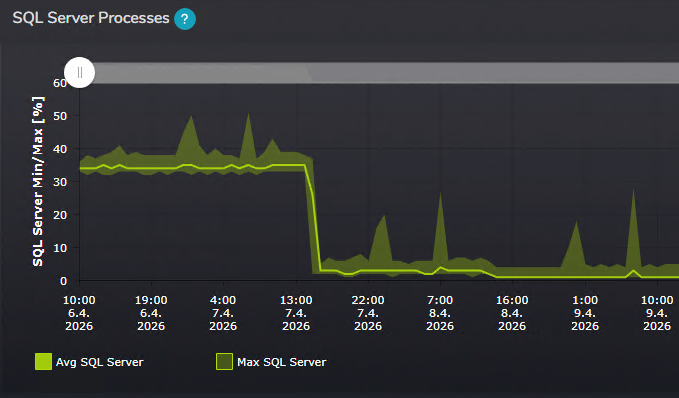
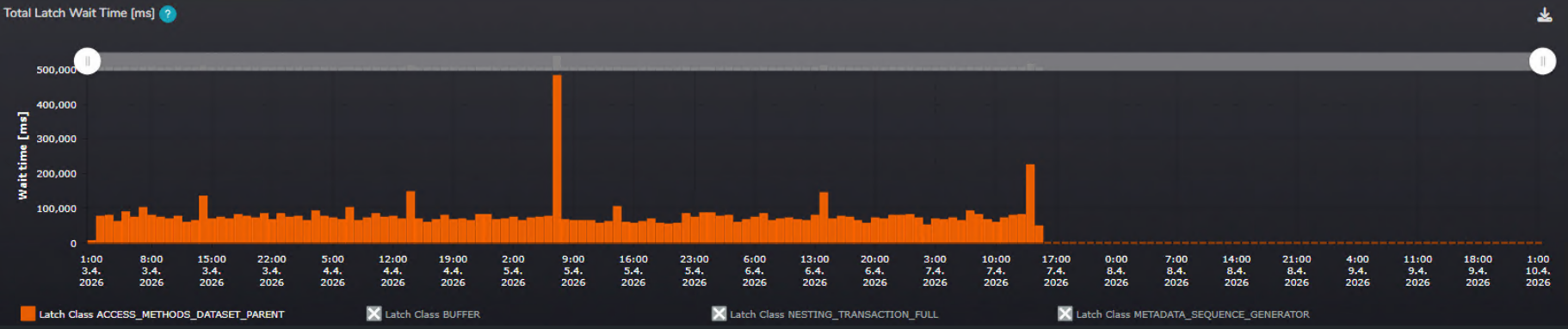
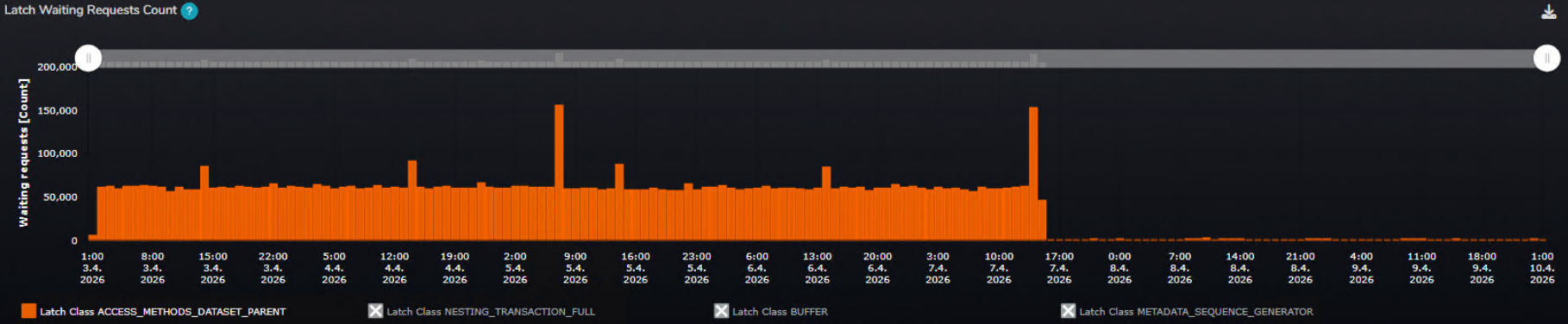
As soon as the client reconfigured the application to set sendStringParametersAsUnicode = false, the performance metrics shifted dramatically. Using our SMT monitoring tool, we verified the recovery across multiple vectors:
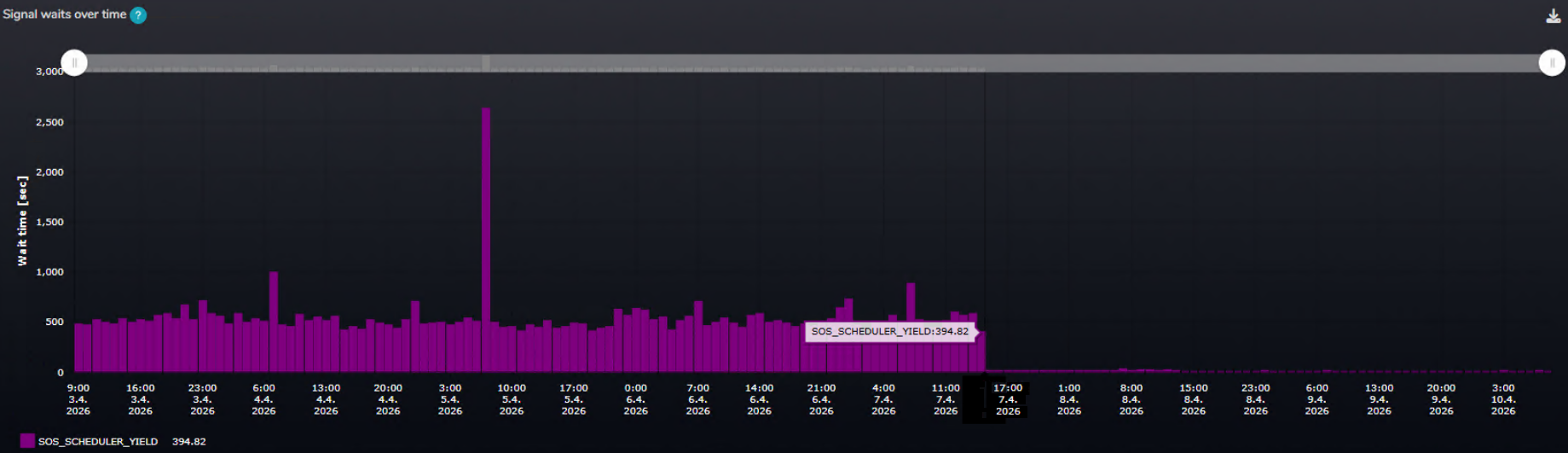
A/B Testing Results
To quantify the fix, we utilized the A/B testing comparison features in SMT, comparing the historical intervals before and after the hotfix:
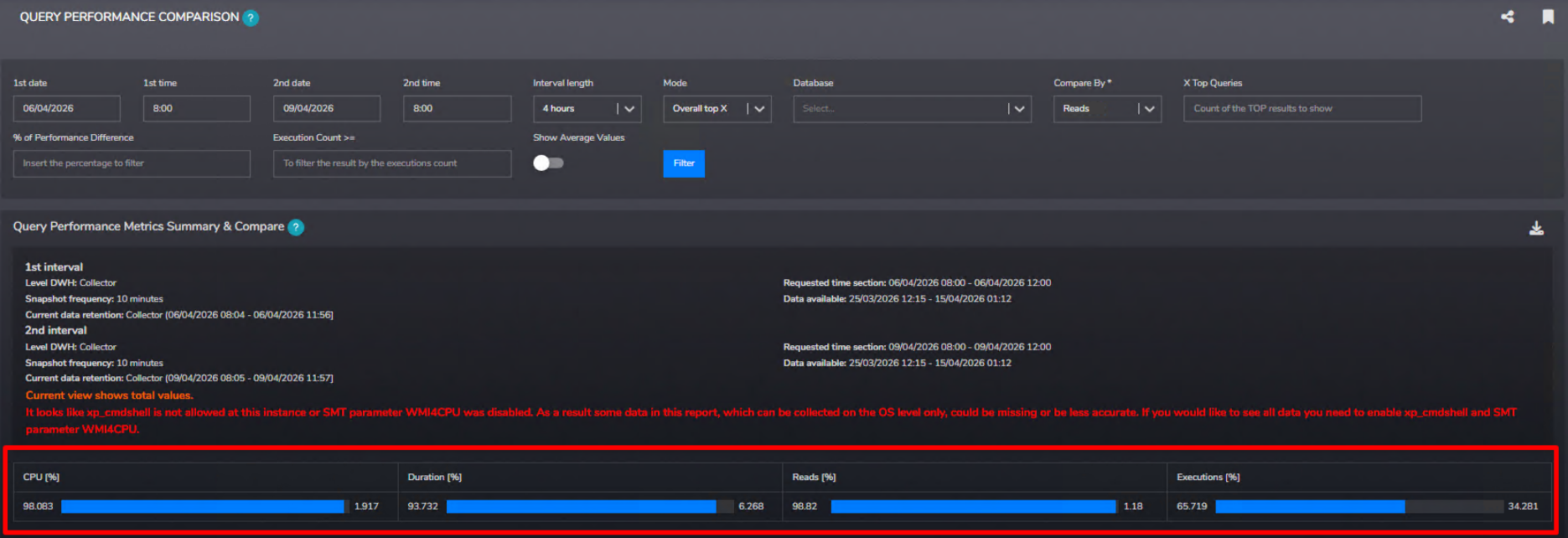
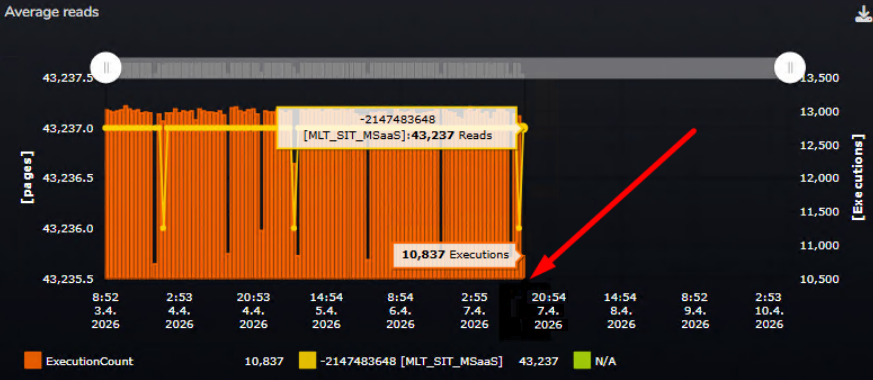
Key Takeaway: Never overlook application-tier connection string defaults or treat them as mere boilerplate. A simple configuration change can mean the difference between full index utilization and crippling implicit conversions. When your application and database speak different data-type languages, your hardware pays the price. Taking the time to audit these underlying driver settings is often one of the highest-impact investments you can make for your database's long-term health and performance.
Michal is a technically proficient SQL Server Specialist with a proven track record in resolving incidents and implementing changes within large-scale database infrastructures, ensuring maximum availability of services. Concurrently, as a Digital Content and Marketing Specialist, his priority is building strong online brand identities through strategic communication and creative storytelling. He consistently seeks new ways to enhance digital interaction, believing quality digital communication is key to success in today's connected world.
During last SQL Server Bootcamp 2024 in Brno - our colleague Jan Repka presented a live query tuning session.
Read moreWe would like to inform you in this form of an important event (about which you may already know yourself). It also applies to the security of your SQL Servers. We think we should have this initiative from our side.
Read moreSometimes when you plan to change your index design is good to know the columns of your tables. But not just a data type and max size.
Read more